
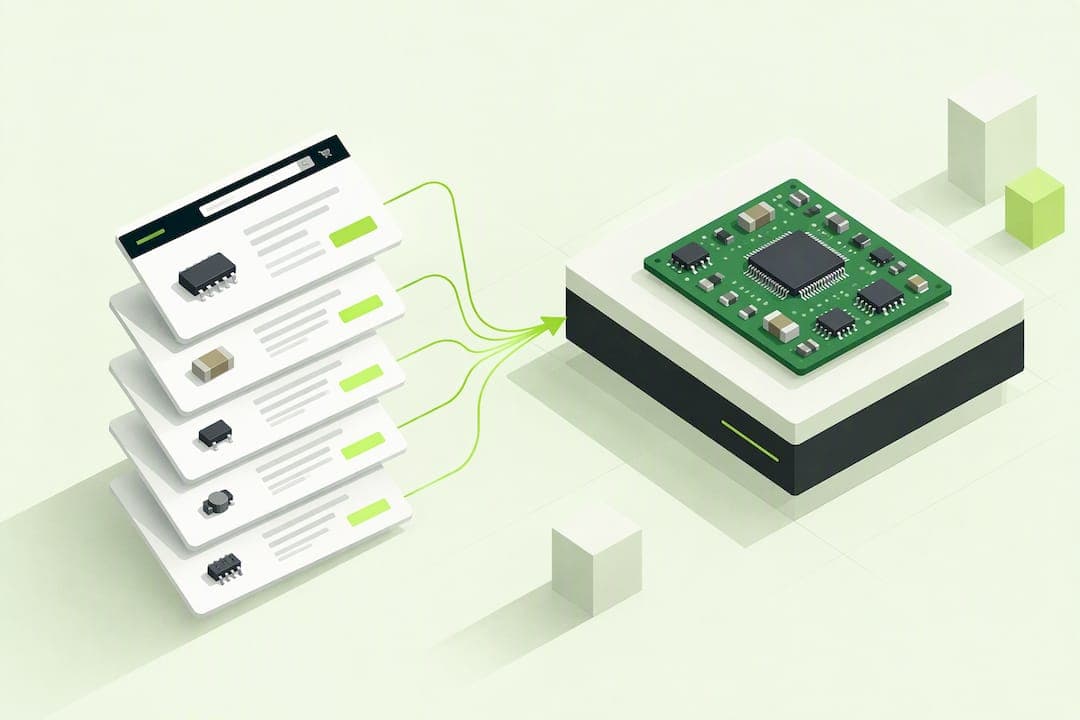
BOM pricing is the process of totaling verified component unit costs and rolling them up, plus allocated labor and overhead, to arrive at a unit cost for an assembly. Unit price accuracy and yield assumptions drive most of the variance you will see between estimated and actual costs. This guide walks through the cost elements, rollup methods, a worked example, and the software choices that keep pricing consistent as a design matures.
TL;DR:
- A standard BOM lists parts and quantities, so add labor, overhead, yield loss, landed costs, and verified line data before calculating assembly cost.
- For nested assemblies, recalculate each affected subassembly before its parent; otherwise, lower level price changes can leave the finished unit cost stale.
- Use planned costs for early quotes, standard costs for a fixed comparison baseline, and actual costs for transactions; versions preserve snapshots after supplier changes.
- Spreadsheets suit a single prototype, but multiple revisions or audit needs call for dedicated tooling; check lifecycle status and refresh prices weekly or monthly.
Table of Contents
- What a BOM is and how BOM types affect pricing
- Core cost elements to include in BOM pricing
- Cost rollup approaches: standard, planned and actual
- Step-by-step BOM pricing with a worked numeric example
- Software and ERP approaches that make BOM pricing repeatable and auditable
- Circuit Center: how our BOM pricing and design tools help you execute the steps above
- Component obsolescence and its effect on BOM cost planning
- Author perspective: maintaining reliable BOM pricing as products scale
- Try Circuit Center's BOM Pricing Tool and Circuit Designer
- FAQ
- Sources
What a BOM is and how BOM types affect pricing
A bill of materials is a structured list of every part, raw material, and subassembly needed to build a product, along with the quantity of each and how components nest inside parent assemblies. A standard BOM typically lists physical parts only. It does not include labor or overhead unless someone extends it to do so, according to NetSuite's BOM guide.
That distinction matters because BOMs come in several forms. An engineering BOM reflects how a product is designed, a manufacturing BOM reflects how it is built (including routing steps and process materials), and a configurable BOM handles variants of the same product. Multi-level, or indented, BOMs show parent-child relationships between assemblies and the components inside them, which is exactly what a rollup process has to traverse, as Wikipedia's bill of materials entry describes. Knowing which BOM type you are pricing tells you whether a cost belongs on the parts list or on a routing step.
Core cost elements to include in BOM pricing
A complete BOM price is never just the sum of part costs. Six categories typically need attention:
- Material cost: the purchase price per unit, which usually drops at quantity breaks of 10, 100, or 1,000 pieces and should reflect the price tier you actually plan to order.
- Labor: allocated per unit, by routing step, or by operation, depending on how granular your production tracking needs to be.
- Overhead: spread across machine hours, QA time, or facility costs using a simple allocation rule, such as overhead per labor hour.
- Yield and scrap: a factor that inflates the effective component cost to cover expected losses in assembly or test.
- Landed cost: freight, duties, packaging, and minimum order quantity (MOQ) premiums that raise the real cost above the quoted unit price.
- Line-level data quality: part number, reference designator, quantity per assembly, and unit of measure, all of which have to be correct before a rollup means anything.
Separating material, labor, and overhead during costing lets you see which element is actually driving a price change, rather than treating a cost increase as one lump number, a practice Oracle's cost rollup documentation recommends for manufacturing systems. A detailed BOM also supports better supplier negotiations and fewer shortages, because purchasing can see exactly what volume justifies a better price, per TechTarget's BOM overview.
Pro Tip: Build your yield factor from real scrap data, not a flat guess.

Cost rollup approaches: standard, planned and actual
Once you have your cost elements, you need a method for rolling them into a single unit price. ERP systems generally support three approaches:
- Standard cost: a fixed cost set in advance, used for price stability and for comparing actual results against a baseline through variance analysis.
- Planned cost: an estimate used during quoting or early design, before actual purchase history exists.
- Actual cost: the cost recorded from real transactions, used for accounting and inventory valuation.
Oracle's cost rollup documentation describes how a cost rollup process calculates standard cost from BOM and routing data, using a selected cost type and cost version, and can be run for a single item, a range of items, or an entire business unit. Cost types group related cost elements, and cost versions let you keep multiple snapshots of the same BOM's cost over time, so you can compare what a design cost in January against what it costs after a supplier price change in June.
Multi-level rollups add a layer of complexity. A subassembly's total cost (its own materials, labor, and overhead) becomes a single line-item cost on its parent assembly's BOM. If a component price changes at the lowest level, that change has to propagate upward: the subassembly recalculates first, then the parent, and so on until the finished unit cost reflects the update. Rollup processes can also account for yield loss directly, inflating component costs or adjusting quantities so the finished cost already includes expected scrap, rather than requiring a separate manual adjustment. Skipping a recalculation at a lower level is a common source of stale pricing in multi-level BOMs.
Step-by-step BOM pricing with a worked numeric example
Pricing a BOM follows the same basic sequence whether you are using a spreadsheet or a dedicated tool.
- Collect a verified unit price and quantity for every line, from a live distributor feed where possible rather than an old quote.
- Adjust each line for yield losses and landed costs (freight, duties, packaging), then calculate the extended cost (unit cost multiplied by quantity).
- Allocate labor and overhead to the assembly using a consistent basis, such as cost per labor hour or a flat percentage of material cost.
- Roll subassembly totals into their parent items, recalculating any level affected by a price change.
- Record the result under a cost type and version so you can trace exactly which prices and assumptions produced that number.
A compact example: a small subassembly uses one resistor at $0.02, one connector at $0.45, and a bare PCB at $3.10, for a material subtotal of $3.57. Allocating $1.20 in labor and $0.60 in overhead per unit brings the subassembly's rolled-up cost to $5.48. If that subassembly feeds into a finished unit alongside an enclosure priced at $2.75 and additional labor of $0.80, the finished unit's rolled-up cost becomes $9.03.
Capture at least these fields per line so the number holds up later: part number, quantity, unit price, price source, and the date the price was last verified.
- Part number and reference designator
- Quantity per assembly and unit of measure
- Unit price, its source, and the date it was last checked
Software and ERP approaches that make BOM pricing repeatable and auditable
A spreadsheet works fine for a single prototype run. Once you are managing multiple revisions, subcontracted components, or a need for audit trails, the gaps show up fast: a stale price survives three BOM revisions, or a yield adjustment gets applied twice. That is the point where teams move to a dedicated BOM tool or ERP module.
Look for a few specific capabilities:
- Multi-level BOM support that correctly nests subassemblies and recalculates parents.
- A cost rollup engine that handles cost types and cost versions, not just a single flat total.
- Live supplier price feeds, so unit costs reflect current pricing rather than a quote from months ago.
- Import from CAD exports (KiCad, Eagle, Altium) so the BOM matches the actual design.
Pro Tip: Freeze a cost version before a production run and refresh live prices on a fixed schedule, weekly or monthly, rather than ad hoc, so your team always knows which number is current.
Integration with procurement matters too: a priced BOM that feeds directly into a purchase order saves a manual re-entry step that is a common source of pricing errors.
Circuit Center: how our BOM pricing and design tools help you execute the steps above
We built the BOM Pricing Tool to handle the steps above without a spreadsheet macro. Upload a spreadsheet or an export from KiCad, Altium, or Eagle, and we match every line to real parts and price the build at your quantity, with a recommended supplier per line. Your file is read in your browser; only the part numbers are looked up.
For design-level visibility, Circuit Designer opens a KiCad project directly in the browser, schematic, board, 3D view, and a BOM priced from our catalog of more than 1,000,000 components across dozens of distributors, compared at 1, 10, 100, and 1,000 piece quantities. Parts for Pickup and a thermal map tool provide additional sourcing and design-check functionality.
Component obsolescence and its effect on BOM cost planning
A BOM priced today can become inaccurate the moment a component is discontinued. Obsolescence shows up most often in connectors, specialty passives, and older semiconductor packages, and it forces a substitution that rarely matches the original line item's cost exactly. A replacement part may carry a higher unit price, a different package that requires a layout change, or a longer lead time that pushes a team toward a less favorable quantity break.
Treating obsolescence as a cost planning input, not just a design headache, means checking part lifecycle status before locking a cost version, especially for a design headed into longer production. A BOM with a verified, current price source is easier to audit when a substitution happens, because you can see exactly which line changed and when the price was last confirmed. Building in a small cost buffer for parts with known lifecycle risk is more realistic than assuming every line will hold its originally quoted price through the life of the product.
Multi-level BOMs make this harder to track, since an obsolete part buried in a subassembly can go unnoticed until the parent assembly's cost rollup suddenly jumps. Reviewing subassemblies for lifecycle risk on the same cadence you review pricing catches this before it becomes a production delay rather than a line-item surprise.
Author perspective: maintaining reliable BOM pricing as products scale
The BOM pricing failures I see most are not calculation errors. They are ownership gaps: design changes a part, nobody tells procurement, and the cost version in use is six months stale. A lightweight governance habit fixes most of this: version control on every BOM, shared ownership across design, procurement, and production, and a scheduled cost review before any go or no-go production decision. Export, price, freeze the version, repeat.
— Matthew
Try Circuit Center's BOM Pricing Tool and Circuit Designer
Ready to see your own numbers instead of a worked example? Upload a spreadsheet or a KiCad, Altium, or Eagle export to our BOM Pricing Tool and get a priced build with a recommended supplier per line, or open a project directly in Circuit Designer for a priced BOM alongside the schematic and 3D view.

Search is free, and members can save BOMs and pricing versions with autosave and version history. Your files are read in your browser; only part numbers are looked up.
FAQ
Does a BOM include price?
A standard bill of materials lists parts, quantities, and part numbers, but it does not natively include labor or overhead costs unless someone extends it to do so, according to NetSuite's BOM guide. Unit price is commonly added as a BOM field, but the full assembly cost requires a separate rollup step.
What is OpenBOM?
OpenBOM is a cloud-based bill of materials and part management tool used for collaborative BOM editing and cost rollups, as described in reviews on G2. It represents one category of dedicated BOM software, alongside ERP modules and browser-based pricing tools.
What does BOM stand for?
BOM stands for bill of materials, a structured list of every component, raw material, and subassembly needed to manufacture a product, along with the quantity of each, per Wikipedia's bill of materials entry.
Why do quantity breaks matter for BOM pricing?
Component unit prices typically drop at set quantity tiers, often 1, 10, 100, and 1,000 pieces, so the price you use in a rollup should match the quantity you actually plan to order rather than a single-unit price. Pricing a prototype BOM at low volume and then scaling to production without rechecking the quantity break is a common source of inflated cost estimates.
How often should I refresh BOM pricing?
Refresh pricing on a fixed schedule, weekly or monthly for active designs, rather than only when a problem appears, and always refresh before freezing a cost version ahead of a production run. A detailed, current BOM supports more accurate cost estimates and better supplier negotiations, per TechTarget's BOM overview.
Sources
- What Is a Bill of Materials (BOM)? The Complete Guide to BOMs | NetSuite
- Performing a Cost Rollup (Oracle documentation)
- Bill of materials — Wikipedia
- What is a bill of materials (BOM)? | TechTarget